
- Home
- Features
Controlled document management system
Ulysses features
Everything Ulysses brings together for controlled documents: search, templates, reviews and approvals, improvement tasks, lifecycle actions and reporting.
Find documents across three repositories
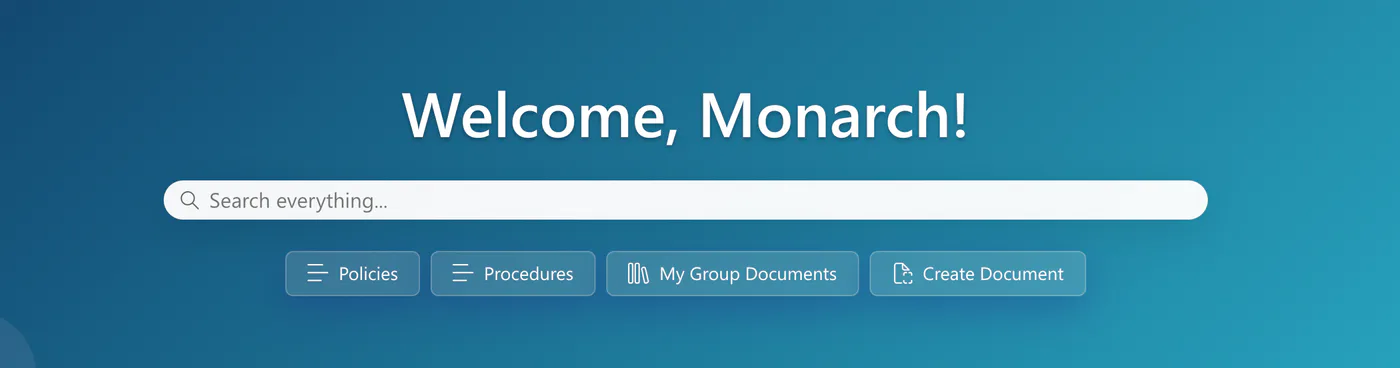
Ulysses lets people search the Publish, Native and Archive areas from one search box on the home page. Quick links take them straight to Policies, Procedures and My Group Documents, and a Create Document button starts new work from the same screen.
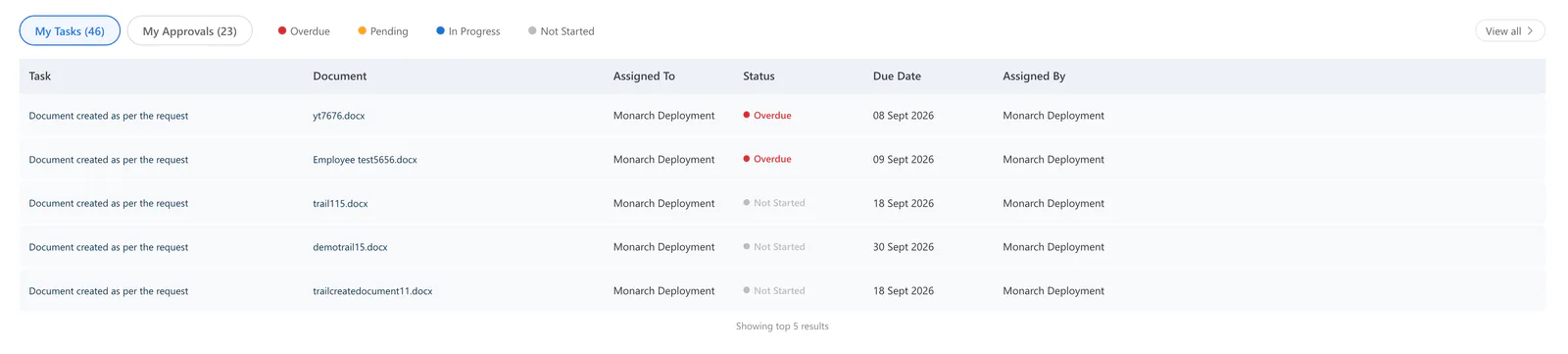
The home page also shows each person's own work: My Tasks and My Approvals list what is waiting on them, with a status key for overdue, pending, in-progress and not-started items.
Publish, Native and Archive
Ulysses gives each kind of document its own area in the navigation.
- Publish holds released documents. Publishing is a deliberate action, and published states are visible.
- Native is the working library, where review and approval requests are started from the Ulysses actions menu. Version history and access commands are visible in the library; exactly how they behave depends on your configuration.
- Archive is a dedicated area for historical content, kept apart from the documents people use day to day.
Alongside the three repositories, the navigation includes an Approval Dashboard, a Task Dashboard and a Report Dashboard.
Create from a template
New documents can start from a searchable template library organised by category, including HR, Finance and Technical. Starting from a template helps teams create policies, procedures and forms consistently.
Each document carries structured details used for control: document type, document number, risk rating, requestor, reviewers and approvers.
Reviews and approvals
Reviews and approvals are requested from the document actions menu. When requesting approval, the requester chooses the approvers, adds comments and picks a route:
- Independently: all approvers are notified at the same time and respond independently.
- In order: approvers respond along a set route, one after another.
Workflow states such as Send for Approval, Review Completed and Approval Completed show where each document is. The Approval Dashboard and the My Approvals list give approvers a clear queue.
Improvement tasks
Feedback on a document can become an assigned task. The Assign Task action records the linked document, who the task is assigned to, who assigned it and the due date, so improvement work has a clear owner.
Tasks are marked as overdue, pending, in progress or not started. The Task Dashboard shows the full picture, and My Tasks on the home page shows each person what they own.
Publish, supersede, obsolete and archive
Ulysses supports a managed document lifecycle: create or update a document, request review, obtain approval and publish. When content changes or is withdrawn, use the supersede or obsolete actions as part of your document control process, and keep historical content in the Archive.
In document control, obsolete means withdrawn from use, superseded means replaced by another approved document or revision, and archive describes where historical content is kept. We recommend seeing the supersede behaviour in a demonstration with one of your own documents.
Reporting and review planning
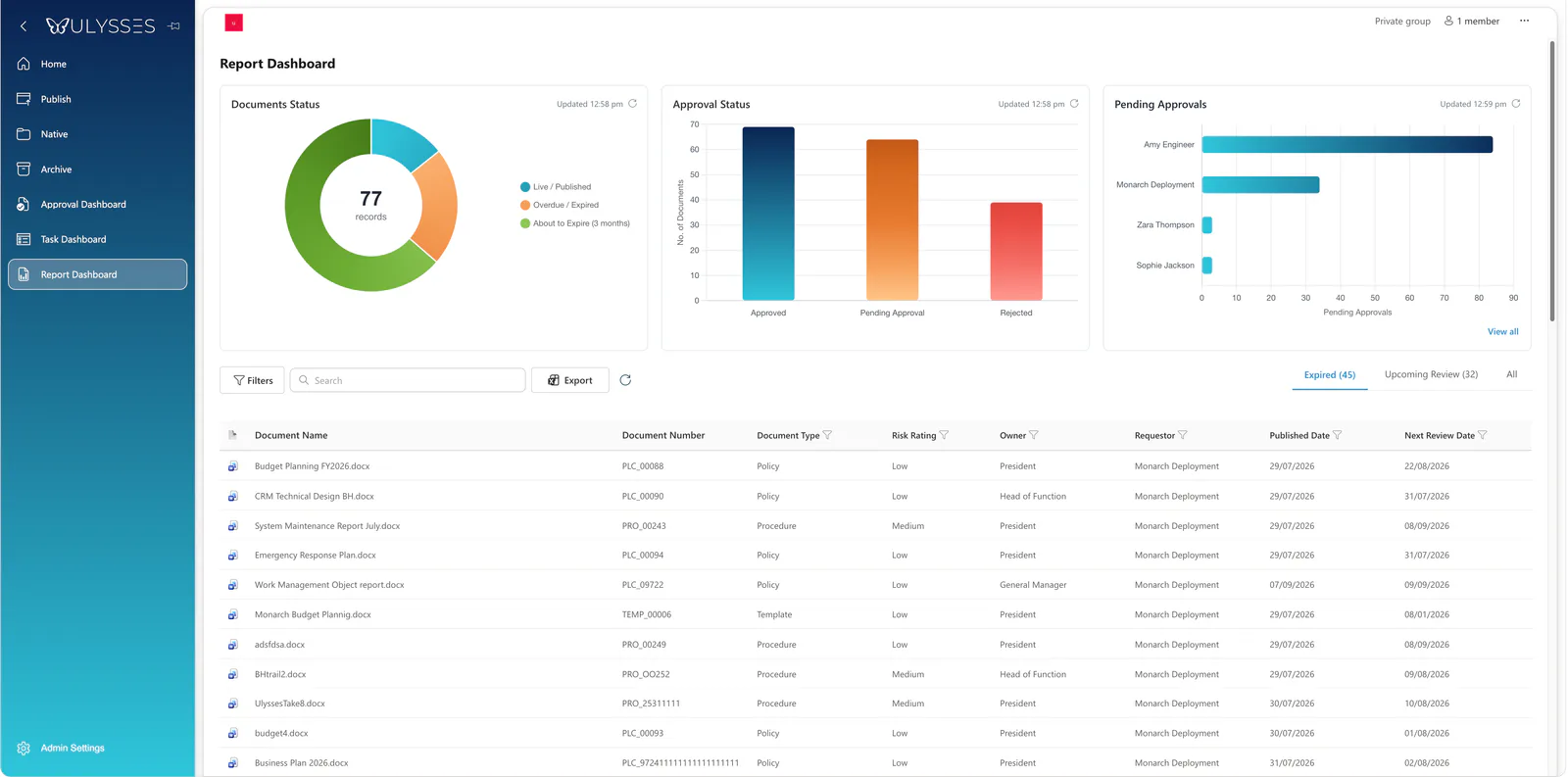
The Report Dashboard shows document owners and quality teams what needs attention.
- Documents Status separates live and published documents, overdue or expired documents, and documents about to expire within three months.
- Approval Status shows approved, pending and rejected documents.
- Pending Approvals shows outstanding approvals by person.
- A document register lists each document's number, type, risk rating, owner, requestor, published date and next review date, with Expired and Upcoming Review views. The register can be filtered, searched and exported.
Platform and support
Ulysses runs on SharePoint Online and Microsoft 365. Your organisation needs a Microsoft 365 environment with SharePoint Online, and we confirm the configuration for your tenant during solution scoping.
Support is uncapped. Monarch360 supports Ulysses without a cap on support.
What to confirm in your demo
Every organisation's document control process is different, so we confirm the details with you during solution scoping rather than assuming them. Useful things to ask about in a demonstration:
- How your document types, numbering and owners map into Ulysses.
- Who can publish, and how review completion and publication approval are kept separate.
- What readers see when a document is superseded or made obsolete.
- How version history and access permissions are configured for your teams.
- Your Microsoft 365 and SharePoint Online configuration, licensing and implementation.
Read our questions and answers, or see how Ulysses supports ISO 9001 document control.
See Ulysses with your own documents.
Bring a procedure your team revises often. We will walk through finding it, improving it, approving it and publishing the update.